Blog > May 2026 > Door Tablet Wayfinding Solution Open
May 27, 2026 4 min read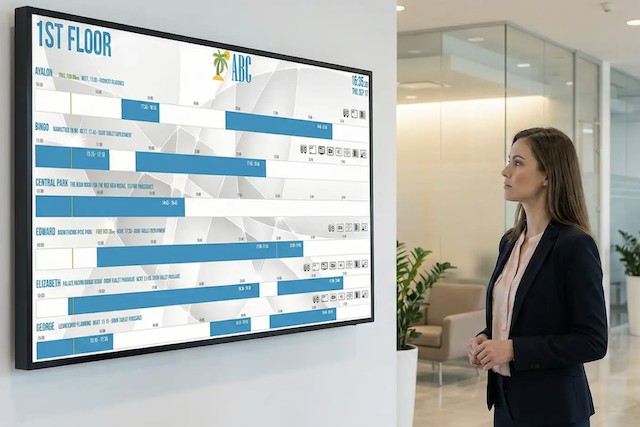
Key Takeaways
- Unlike general signage, wayfinding displays are purpose-built to seamlessly guide individuals from point A to point B in real time.
- These solutions eliminate workplace friction by improving the daily flow of corporate offices, university campuses, and large-scale conferences.
- Door Tablet software provides intuitive floor plan, cluster, and airport-style layouts to match your specific layout needs.
Wayfinding displays help get the right people to the right rooms, at the right time. In this article, we will explain everything you need to know about wayfinding displays.
What is a wayfinding digital display?
A wayfinding digital display is an electronic screen designed specifically to guide you through a physical space. Unlike a static paper map, these displays can provide real-time directional information, facility layouts, and dynamic location data. They can act as passive screens showing a rotating map, or as interactive touchscreens that allow users to actively search for specific destinations.
The difference between signage and wayfinding
It is easy to confuse general signage with wayfinding, but they serve different purposes. Signage is the broad category of all visual graphics created to display information to an audience. This includes your corporate branding, promotional marketing, café menus, and safety warnings.
Wayfinding is a highly specialised system of navigational information nested under that broader umbrella. It is built purely to guide individuals from point A to point B without the stress. While all wayfinding relies on some form of signage, not all digital signage is designed to help you navigate a space.
The benefits of wayfinding displays in the real world
The true value of a wayfinding solution is obvious when you look at how it improves the daily flow of different environments.
In a corporate office, it gives more power to your staff by making impromptu meetings more available. Instead of wandering, looking for an empty room, employees can instantly see real-time desk and room availability.
In educational settings, university campuses can use these displays to guide students to the right lecture halls or exam rooms. It reduces the classic first-day panic and improves overall campus flow.
For large-scale conferences, wayfinding displays can act as coordinators of the event. They effortlessly route massive crowds to breakout sessions, exhibitor halls, or keynote speeches, dynamically and instantly updating if a session changes location or time.
Door Tablet Wayfinding Software: Navigating your space
Our Door Tablet system makes finding and securing a room incredibly straightforward. It transforms a frustrating search into a straightforward experience by putting accessibility and ease of use right there when you need them.
You can place these wayfinding displays strategically in your lobby, front desk, or employee lounge to help get the right people to the right rooms, at the right time. Using Routes, when tapping on a space, an arrow will appear showing people how to get there from their current location.
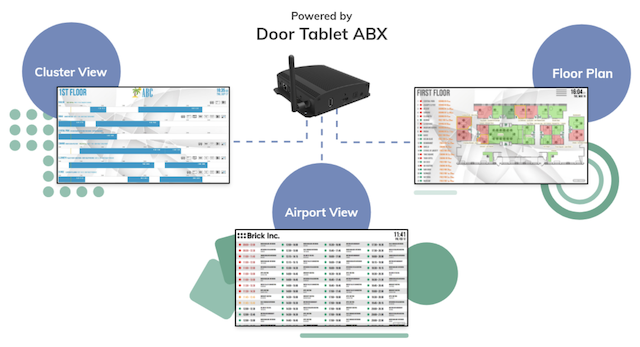
We offer several ways to visualise your workplace:
- The floor plan view provides an instant overview of available rooms or desks. If you want to focus on a specific neighbourhood of workspaces.
- The cluster view instantly displays current and future bookings for that exact area.
- The airport-style view lists meetings in a familiar, easy-to-read departure board layout.
You can choose between interactive touch-screen displays, which allow staff to get a formal talking space in no time, or view-only non-touch displays. Regardless of the format, the scheduling system reflects all bookings in real time. The software features native integration with Microsoft 365, Google Workspace, Exchange, and hospitality systems, though we are also able to create custom solutions for your needs.
To further streamline the office experience, the system includes automated features such as freeing up resources after no-shows and allowing check-in via touch or an RFID reader.
Door Tablet ABX2
To power these software experiences on large screens, we rely on the Door Tablet ABX2. It is a low-cost, compact, and powerful Android or Windows solution that turns any standard TV into a Door Tablet display.
The hardware is exceptionally robust, designed to withstand knocks and bangs and to operate uninterrupted in busy environments. Our hardware works seamlessly with both interactive touch-screen displays and view-only non-touch screens.
Once plugged in, it works out of the box with the Door Tablet system, delivering a Full HD and Multi-Screen Output so you get a clear image with crystal-clear text even from afar.
Interested in Wayfinding displays?
Book a demo with our team to understand more about our Wayfinding Displays.
Door Tablet Wayfinding displays FAQs
1. What are the differences between an interactive and a non-interactive Wayfinding display?
Non-interactive is for viewing information, such as the airport display, to see what's going on in the building at a glance. With an interactive display, you can book from the display and use it as a kiosk.
2. What hardware is required to set up and run the Wayfinding displays?
With the Door Tablet ABX2, you can use any compatible screen or TV, if using a Smart TV, a separate media player is not required. If you would like the display to be interactive, a touchscreen will be needed.
3. Where is the best place to put a Wayfinding display?
Communal areas, such as the lobby or by the elevators on each floor.
4. How to set up my Wayfinding display?
It runs on the Door Tablet ABX2, which is an Android player connected to the server which receives the schedule. Resources are grouped into neighbourhoods in the admin web UI. You select the neighbourhood you want to display and then the type of wayfinding display. The setup will depend on the type of wayfinding display; if using a floor plan will need to set this up.
5. Can we manage the floor plan editor ourselves, and is it difficult to use?
Yes, the floor plan editor can be managed independently. It is designed to be straightforward to use, and our team provides guidance and support whenever needed. You can find a step-by-step explanation of the process here.
6. How does licensing work for Wayfinding displays?
Interactive displays need a license, and non-interactive displays don’t need one as long as the rooms are licensed.
7. How to set up routes (the direction arrows) for Wayfinding?
You can access this page that explains the entire process.
8. How can it be used in combination with digital signage, for example, to display room schedules alongside news or menus on the same screen?
This is done using Door Tablet Signs, from our partner company Novisign, you can split the screen into sections.
Blog > May 2026 > Door Tablet Workspace Management Solution for Education Open
May 6, 2026 4 min read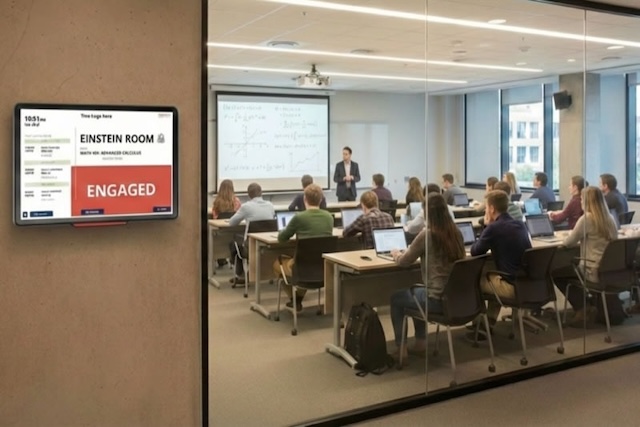
A buzzing university campus is a high-energy environment, and moving thousands of people between rooms every day can be a major logistical challenge.
When schedules change or rooms move, it creates friction for both the registrar's office and the students.
With Door Tablet, you can connect your existing class scheduling data to physical displays across campus to ensure everyone has the right information at the right time.
In this article, we will cover how digital class room displays, interactive wayfinding, and smart access control work together to create a more organized and efficient university.
Clearer Classroom Management for Admins
On the administrative side, the goal is to keep the campus running like a well-oiled machine. Door Tablet removes the manual guesswork of room assignments and scheduling.
Displays That Do the Talking
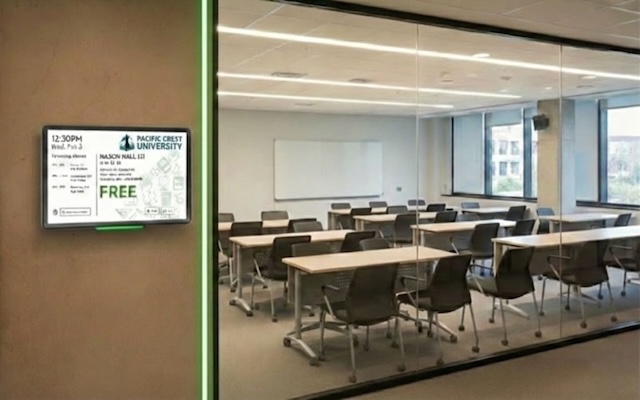
Instead of taped-up paper schedules, our Room Displays sit outside every classroom. They show the name of the professor, the subject being taught, and what is coming up next in that specific room.
Smart Security and Energy
Administering a campus also means managing resources. Authorised staff can check in or out of rooms directly on the tablet using their credentials.
Because we integrate with access control systems like dormakaba Exivo and CredoID, the software can ensure rooms remain locked until the scheduled lecture time. To save on energy, the displays automatically enter "sleep mode" at night or during holidays and wake up just before the first class of the day.
Helping Students Get to Class on Time with Wayfinding Displays
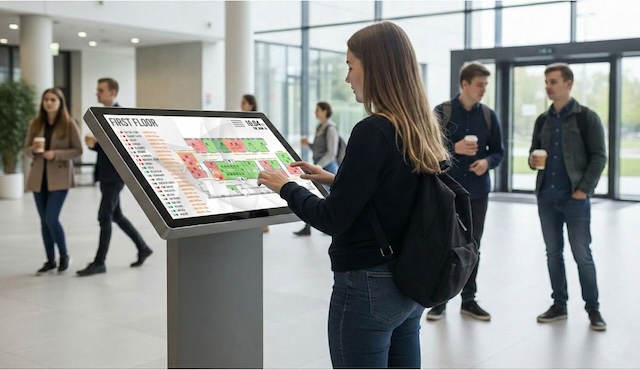
For a student, the priority is simple: knowing where to be and how to get there. Our Interactive Wayfinding Displays serve as a digital compass for the entire campus:
- Real-Time Overviews: In busy lobbies, our "Airport Style" displays show a clear, scrolling list of all events and lectures happening across the faculty.
- Interactive Floor Plans: Students can interact with the display to see a bird's-eye overview of the entire floor, showing every classroom and study space in one view.
- Live Route Guidance: Once they find their classroom on the screen, the display generates the most efficient route to get there, taking the guesswork out of navigating complex wings or multiple floors.
Both Wayfinding Displays and Room Scheduling Displays can be personalised to match your university brand.
Book Library Study Rooms through Door Tablet Displays
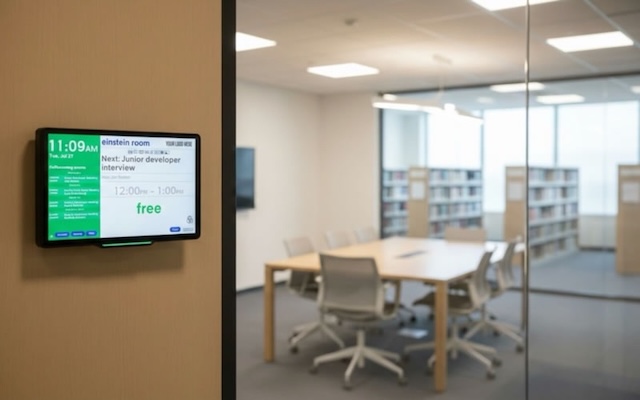
Our Door Tablet displays turn library study rooms into a high-utilisation, self-managing resource, allowing students to book directly at the room entrance; the system removes the administrative burden of manually managing sign-up sheets or keys.
For public libraries, the same solution helps provide fair and simple access to community study rooms, meeting spaces, tutoring areas, and private booths. Visitors can view availability in real time, reserve spaces instantly, and receive clear booking information at the door. Staff benefit from fewer interruptions at service desks, less time spent coordinating room use, and better oversight of shared spaces - helping libraries deliver a smoother experience for the whole community.
Digital Signage + Wayfinding
Beyond basic navigation, you can use large screens to turn every high-traffic area into an information hub for your students. Through the split-screen layout, these displays can show wayfinding maps alongside a scrolling feed of personalised content. This allows students to stay informed about campus life while they find their way to class.
With this feature, you can broadcast school-wide events or important school announcements.
Upcoming Developments for our Wayfinding Displays
We’re continually improving our Wayfinding technology to make navigation across campus even smarter and more intuitive. Here’s what we’re currently working on:
- Personalised Schedules: By tapping a school ID card (RFID/NFC) on the display, a student can immediately see their specific classes for the day.
- Live Directions: If a lecture has been moved to a different building, the screen can pull in Google Maps to show the exact walking route, or even local bus routes, to rooms in buildings not on the main campus.
Sign up for our newsletter to be the first to receive updates on the latest features and improvements to our solutions.
A Unified Campus System
The best part about Door Tablet is that it connects directly to the tools your university already uses.
Whether you use LibCal or a custom internal database, the Door Tablet Server keeps everything synced. When a lecture is booked or changed in the central system, the update flows instantly to the classroom door and the wayfinding kiosks in the lobby. It’s a simple, grounded solution that makes the school day easier for everyone.
With Door Tablet, you can turn complex campus layouts into streamlined, tech-enabled ecosystems for both your administration and your students.
See how Door Tablet could work for your university, Get Access.