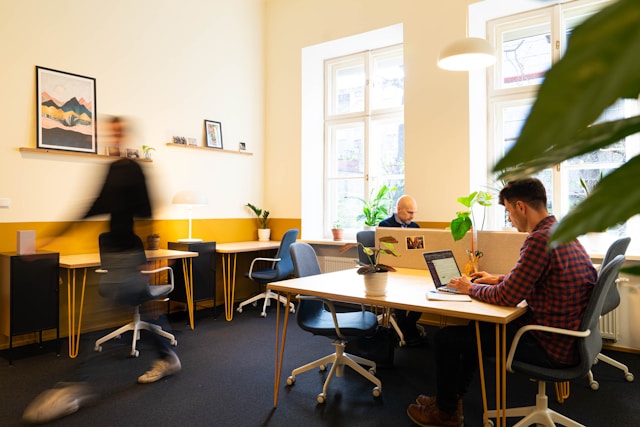
Hot desking – the practice of unassigned seating in the office – isn’t inherently good or bad.
Think of it as a flexible tool: in the right situation, it empowers teams with choice and efficiency; done poorly, it leads to chaos and frustration. Initially hyped as a cost-saving, space-maximising solution, hot desking boomed during the pandemic as companies downsized offices for hybrid work.
Many organisations hoped it would support flexibility and reduce unused desks. And indeed, adoption of “flexible seating” surged – the CIPD found UK uptake jumped nearly 60% from 2020–2023, while Gensler’s 2022 survey reported over half of hybrid employees in the US returned to an office with some form of desk sharing. But along with the efficiencies came growing pains. Especially in big open-plan layouts, some employees ended up wandering the floor in search of a seat or adjusting unfamiliar equipment, only to land in a noisy corner where focus was impossible. In extreme cases, hot desking even became a reason people stayed home rather than face the daily scramble.
So, is hot desking broken? Not necessarily – but success requires intentional design and clear etiquette. With the right mix of tools, policies, and culture, shared seating can support how people work today without all the drama. We covered in another article the places/use cases that could benefit the most from hot desking. We aim to write this article for individuals who work in these types of spaces (e.g., co-working spaces, AWB layouts) and for those considering a similar setup.
What is Hot Desk Etiquette, and Why Does It Matter?
Hot desk etiquette is the set of norms and behaviours that keep a shared-seating office running smoothly. In a traditional office, personal desks foster a sense of ownership – you can pin up photos, have your specific desk set-up, and expect your chair just how you like it. Hot desking strips away that personal territory by design. Without some agreed-upon etiquette, the unstructured nature of desk sharing can breed friction (think “Who’s taken my usual spot?” or “Why did I find crumbs all over this keyboard?”). Good etiquette mitigates the two big challenges of hot desking: low psychological ownership and high potential for friction.
When no one “owns” a desk, people may be less mindful of mess or might inadvertently inconvenience the next user. Simple courtesies make all the difference.
Perhaps most importantly, hot desk etiquette is about respecting colleagues in a shared space. That ranges from introducing yourself to new desk neighbours to cleaning up your coffee rings. Because there’s less built-in structure, etiquette provides the social contract that keeps things civil. As human beings, we’re naturally territorial and habitual; even in a free-seating office, people tend to gravitate to the same desk or area each day. If someone finds “their” usual spot taken, it can cause real frustration. Clear rules and friendly norms help prevent turf wars. For instance, reminding everyone that no seat is permanently theirs sets expectations. Likewise, companies should equip the office space with cleaning wipes, hand sanitiser, and personal lockers so that shared desks stay hygienic and clutter-free.
The message to staff is “treat every desk as you’d like to find it”.
Introduction to Best Practices (Setting Up for Success)
Whether you’re introducing hot desking for the first time or trying to fix a rocky implementation, certain best practices have emerged from industry research and real-world lessons. These practices address everything from planning how many desks you actually need to equipping spaces, to leveraging tech and data.
Best practices for workplace experience teams
1) Plan desks to peak demand, then pilot
Use badge, sensor, or booking data to size your desk pool to peak days and hours, not averages. Pilot one floor with unassigned seating to see where it strains (no-shows, mid-morning shortages, congested zones), then adjust ratios and layout before scaling.
2) Design for choice with clear zoning
Lay out distinct quiet, collaboration, touchdown, and phone-booth zones so employees can self-select the right environment. Make norms unmistakable with friendly signage (e.g., “long calls → booths,” “headphones in quiet areas”).
Choose a platform that shows live floor maps, supports one-tap check-in and auto-release of no-shows, and lets people find seats near teammates.
4) Standardise the setup so every desk is “good”
Equip each station with a consistent chair, power, a universal dock, and at least one external monitor; keep labelled spare cables visible. Nightly clean-down and desk-wipe availability protect hygiene in shared use. Removing the “equipment lottery” is the single fastest way to shrink the daily setup tax.
5) Rebuild belonging with storage and neighbourhoods
Provide personal lockers or caddies so people have a dependable home base for their kit. Define light “team neighbourhoods” on common anchor days to preserve useful adjacencies without re-imposing fixed seating. Small cultural rituals like welcome boards, rotating coffee huddles may help the office feel like ours, not a hotel.
6) Put wayfinding at decision points
Install live availability displays at entrances, lifts, and key junctions so employees can choose a floor or zone before wandering. Add QR codes to open maps on mobile; consider privacy-aware “find my team” features so colleagues can coordinate without guesswork. The idea is to reduce cognitive load for your teams.
7) Iterate in public with data and feedback
Review utilisation, no-shows, hotspot maps, and short pulse surveys monthly. Make small, frequent changes; rebalance quiet vs. collaborative seats, tweak booking rules, add monitors where demand spikes, and tell people what changed and why. Treat the workplace like a product: pilot → measure → refine until hot desking feels smooth rather than imposed.
Best practices for employees
Let’s go on the other side. These are some practices staff should be aware of to make hot desking work.
1) Honour bookings and be findable
Check in on time; release your desk if plans change so others aren’t blocked. Share your in-office status and desk location with your team (calendar note, status field, or the booking app’s team view) to cut down on “where are you?” messages. Clear signals build trust in the system and in each other.
2) Mind the shared-space etiquette
Leave no trace: wipe down, coil cables, reset chair and monitor arm to neutral. Keep headphones handy and route long calls to booths; in open areas, keep conversations brief and low. Small courtesies compound into a workplace people actually enjoy coming back to.
3) Report issues so tomorrow is smoother
Log wobbly chairs, broken docks, or missing cables as soon as you notice them. Quick reporting helps Facilities fix problems before the next person hits the same snag. Treat it as collective maintenance; shared spaces stay great only if everyone helps surface faults early.
Making Hot Desking Work
Hot desking can evoke strong opinions, but as we’ve explored, it isn’t a silver bullet or a bogeyman on its own. It’s one tactic in the broader strategy of designing workplaces for the modern era.
Remember that people come first, space and tech second. A successful hot-desking programme hinges on empathy: understanding what employees need to feel comfortable, productive, and valued – and then configuring the space and policies around those needs. That means providing clarity (through policies, etiquette, booking systems), providing choice (through a variety of work settings and the option to decide where to sit based on one’s tasks or mood), and providing culture (through leadership behaviours and communications that reinforce trust and community).
As workplace experts often note, the office must offer something compelling that people can’t get at home. Flexibility alone isn’t enough; it takes a supportive culture and environment to make the commute worth it.