n
anonymousdoortablet/dthelp.nsfaio-timezones
Protected content
| 273pages | Our help system contains many pages and videos for you to consume. This includes the complete information on how Door Tablet works, all its features and options, and of course the many benefits for your business. Door Tablet School offers many videos too. |
|
Click on images to see them in full screen
25EAAF6541A93D3B80258330003FAB8BChanging the Time
The Door Tablet device allows you to change the time zone of the API. This can also be done through the Door Tablet enterprise application itself, please click here  for more information.
To change the time of the device itself go to the "Date & time" section on the bottom left hand section of the configuration page. If the Door Tablet App is running you will need to exit it to the OS level, until you see these boxes:
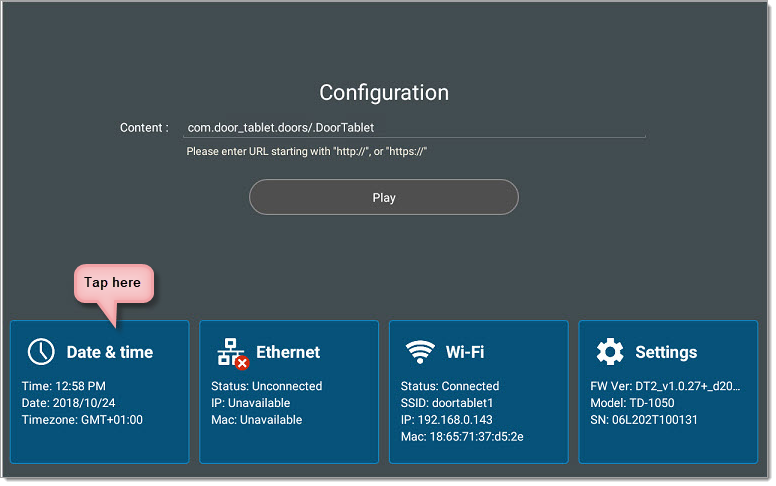
Note: if the time on the device is wrong, always change the Time Zone first and only then adjust the time, if needed.
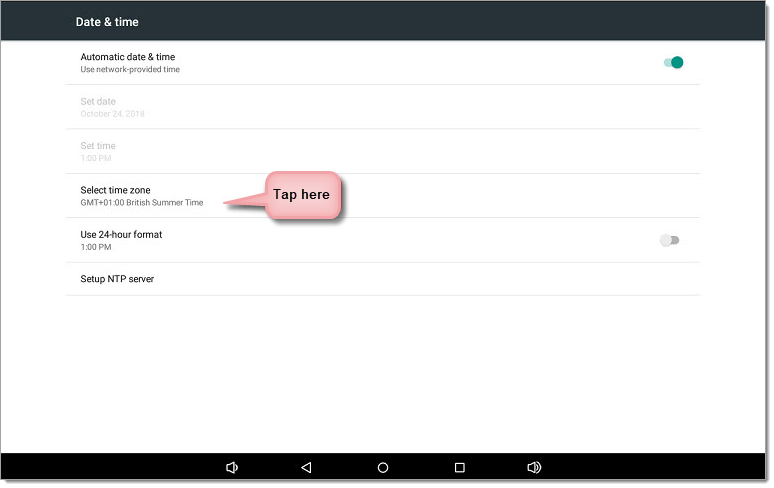
Then choose the "Select time zone" option:
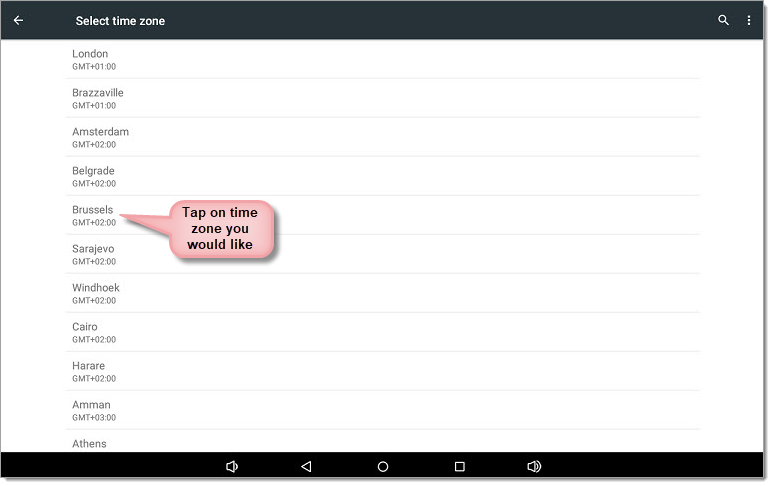
Then choose the time zone that corresponds with your location or needs: