Supported Languages
Door Tablet supports 27 different languages for the end-user interfaces:
Current languages:
- العربية
- Deutsch
- English
- Español
- Suomi
- Filipino
- Français
- עברית
- Bahasa Indonesia
- Italiano
- 日本語
- 한국어
- Lietuvių
- Bahasa Melayu
|
- Nederlands
- Polski
- Português
- Română
- Русский
- Slovenčina
- Српски
- Svenska
- ไทย
- Türkçe
- Tiếng Việt
- 简体中文
- 繁體中文
|
The default language is English. The administrator can easily switch the display language for any, all, or defined groups of devices via the Door Tablet browser interface.
Additionally, users may tap a button on a display screen to switch languages to a predetermined option.
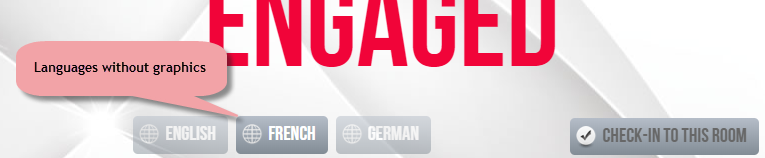
You decide where on the display you want to show the language switch button.
To indicate to users the current display language, add the supplied Door Tablet flag images.
Create your own bespoke graphics for flags, if desired.
When language is switched, it can be accompanied by a change in the customization of the layout. For example, all layouts in French could be red and those in English blue.
Sticky Languages Option: after a set amount of time, automatic reversion of the current display’s language back to the default language is possible.
Door Tablet offers full support for Semitic languages such as Arabic and Hebrew with Right-To-Left (RTL) text and will accommodate this on the layouts.