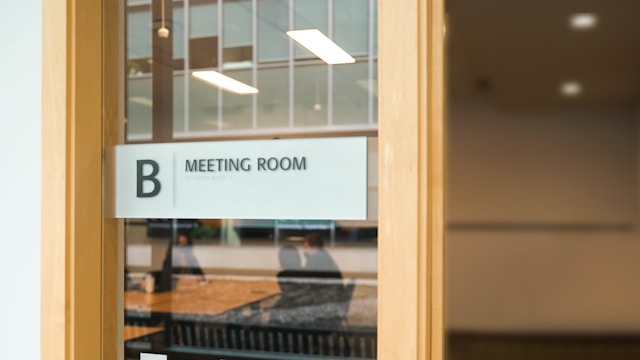
It’s 1:58 PM. You’re clutching your laptop, desperate for a quiet spot to take a client call. You spot an empty conference room at the end of the hall. Success. You rush in, set up your gear.
Then, at 2:00 PM on the dot, the door opens. The entire marketing team walks in, looking confused and mildly annoyed. You check your calendar. They check theirs. You realise you’ve just become the accidental "room squatter." You do the walk of shame while apologising profusely.
We’ve all been there. It’s one of those universal workplace pains that feels personal, but it can be fixed, so you won’t have to face that awkward standoff with the marketing team ever again. The problem is actually pretty simple. Your digital calendar knows the room is taken, but the door didn't get the memo, so everyone in the hallway is just guessing.
That’s where room booking displays come in. While they work wonders in a standard corporate office, their utility stretches far beyond the boardroom. Let's look at the specific features that turn chaos into clarity across different environments.
The Corporate HQ: Removing the "Ghost Meeting"
In the corporate world, the biggest enemy isn't the room squatter; it’s the "Ghost Meeting." This is the recurring weekly sync that was cancelled 2 weeks ago, but nobody removed it from the calendar. The room says it’s booked, so nobody uses it, even though it sits empty for hours. It is a massive waste of real estate.
Room booking displays solve this with Check-In and Auto-Release. It functions like a "use it or lose it" system. If nobody taps "Check-In" on the door within 10 minutes, the room automatically frees up for others.
But modern teams need more than just schedule policing. They need flexibility. The displays allow for:
- Walk-Up Booking: Sometimes you just need to jump into a room for a quick huddle. You can walk up to any green-lit screen and book it instantly without opening your laptop.
- Meeting Management: If your meeting wraps up early, you can tap "End Now" to release the room for your colleagues. Conversely, if you are running over time and the room is free next, you can hit "Extend" right on the glass to buy more time.
To tie it all together, we use LED Status Lights. These bright indicators glow green for free or red for busy. It lets employees scan the hallway from 50 feet away and spot a free space immediately, saving them from the tedious loop of checking every single door .
Universities: Smarter Classrooms, Not Just Smarter Students
If you think booking a room in an office is hard, try doing it on a university campus. You have thousands of students and faculty navigating a complex web of lectures and labs. The stakes are higher here; interrupting a casual chat is one thing, but interrupting a professor mid-lecture is another.
Universities need distinct controls, and that starts with Authorised Access. Unlike an open office where anyone can book a room, you can configure classroom displays so that only authorised faculty and staff can check in or out using their credentials.
Content clarity is also critical. A single sign outside the classroom displays exactly what students need to know:
- The name of the professor or lecturer.
- The specific subject of the lesson.
- A list of forthcoming events for the rest of the day.
Campuses can be massive, and keeping screens lit 24/7 in empty corridors is wasteful. Features like Automatic Sleep Mode allow the displays to power down during nights, weekends, and holidays. They automatically wake up at configured times to connect to the scheduling system, ensuring you aren’t needlessly illuminating empty hallways or wasting power.
Medical and Healthcare: The Privacy Guard
In a healthcare setting, a closed door can be a source of anxiety. For a patient waiting in the hall, the uncertainty of "Is the doctor ready?" or "Am I in the right place?" adds unnecessary stress to an already vulnerable moment.
Room displays here aren't just about scheduling; they are about providing a sense of control. A clear, visual status indicator answers those questions instantly, bridging the gap between the waiting room and the treatment room without anyone having to say a word.
Hospitals and clinics can strongly benefit from the collaboration between room booking displays and motion sensors. Sensors in the ceiling detect physical presence and automatically switch the door display to "In Use" the moment someone walks in, even if nothing was scheduled on the calendar.
These displays use a Privacy Mode. Instead of displaying sensitive meeting titles like "Patient Consultation: John Doe," the screen simply reads "Occupied" or "Do Not Disturb." This protects patient confidentiality while still giving staff a clear visual signal that the room is off-limits.
The Peace of Mind Factor
Regardless of the industry, the goal is the same: removing friction. We spend so much mental energy navigating the logistics of our day—finding a desk, finding a room, figuring out if we’re in the right place.
Door Tablet gives people one less thing to worry about. And in a busy day, that little bit of peace of mind is worth its weight in gold.
Do you want to see Door Tablet in action? Get a free demo.