n
anonymousdoortablet/dthelp.nsfqrcodes
Protected content
| 278pages | Our help system contains many pages and videos for you to consume. This includes the complete information on how Door Tablet works, all its features and options, and of course the many benefits for your business. Door Tablet School offers many videos too. |
|
Click on images to see them in full screen
C5E9A8411A64A76E80258B480071C025EPS QR Codes
With the Door Tablet EPS you can control what QR Codes show on the displays. The following modes apply:
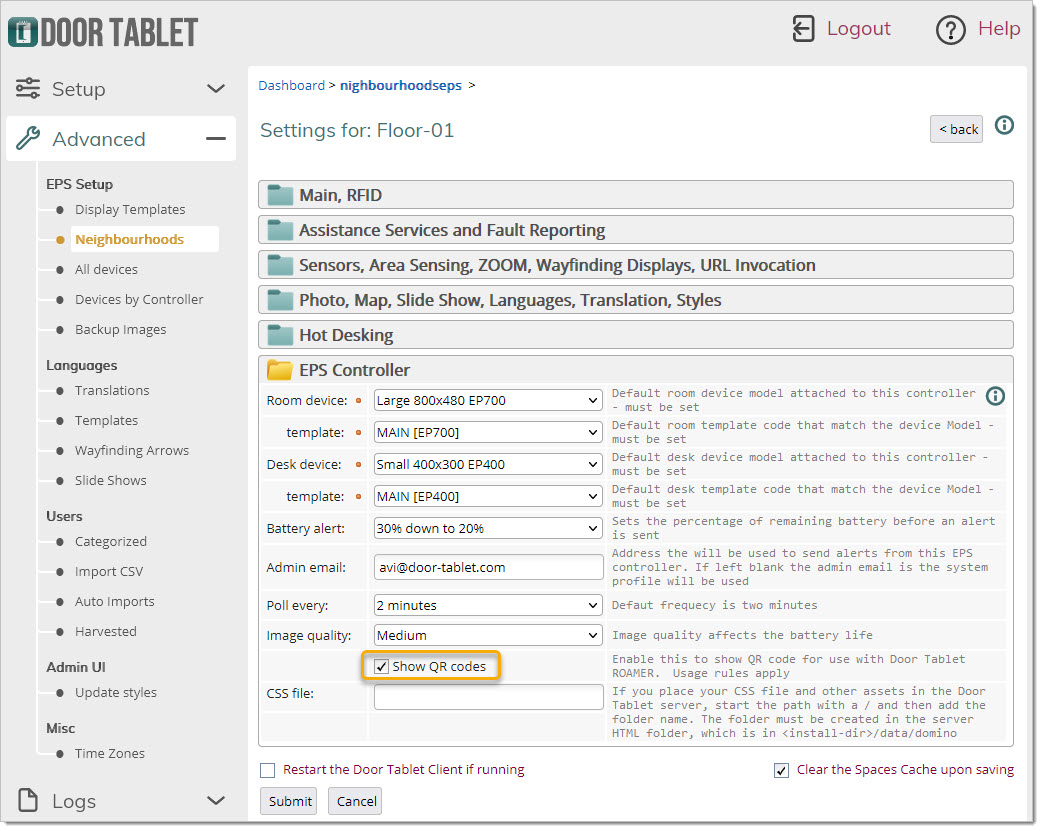
- Do not show codes
- Show codes
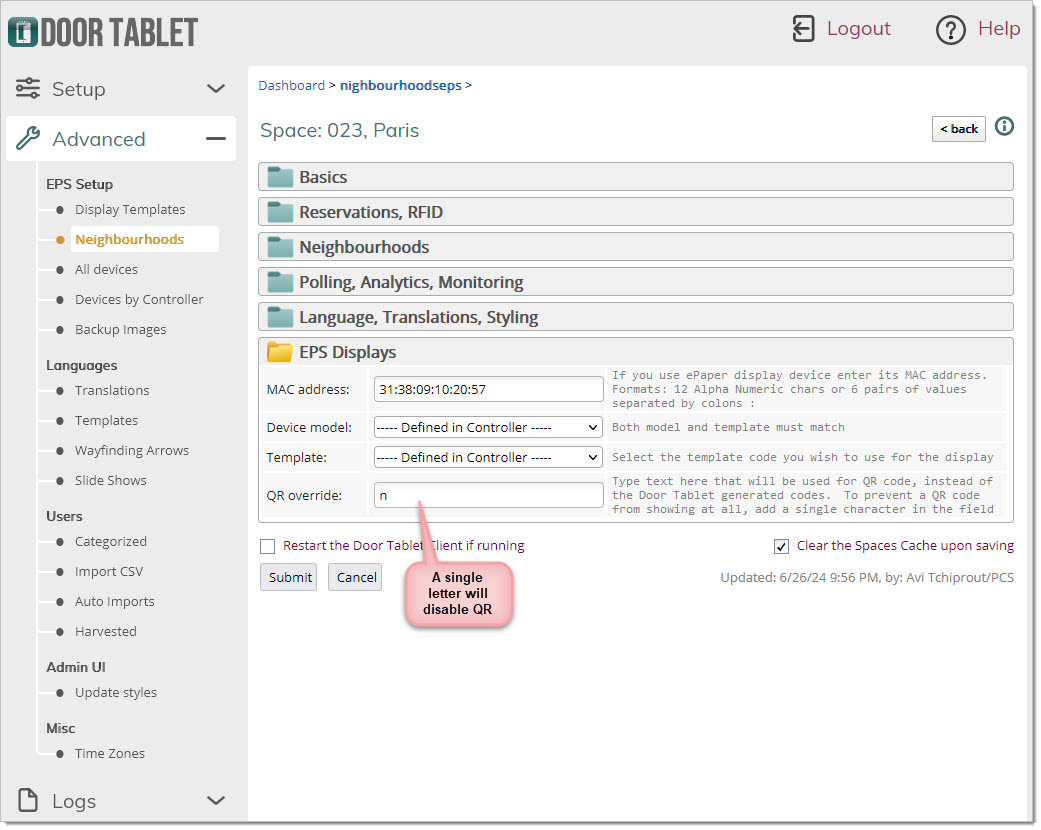
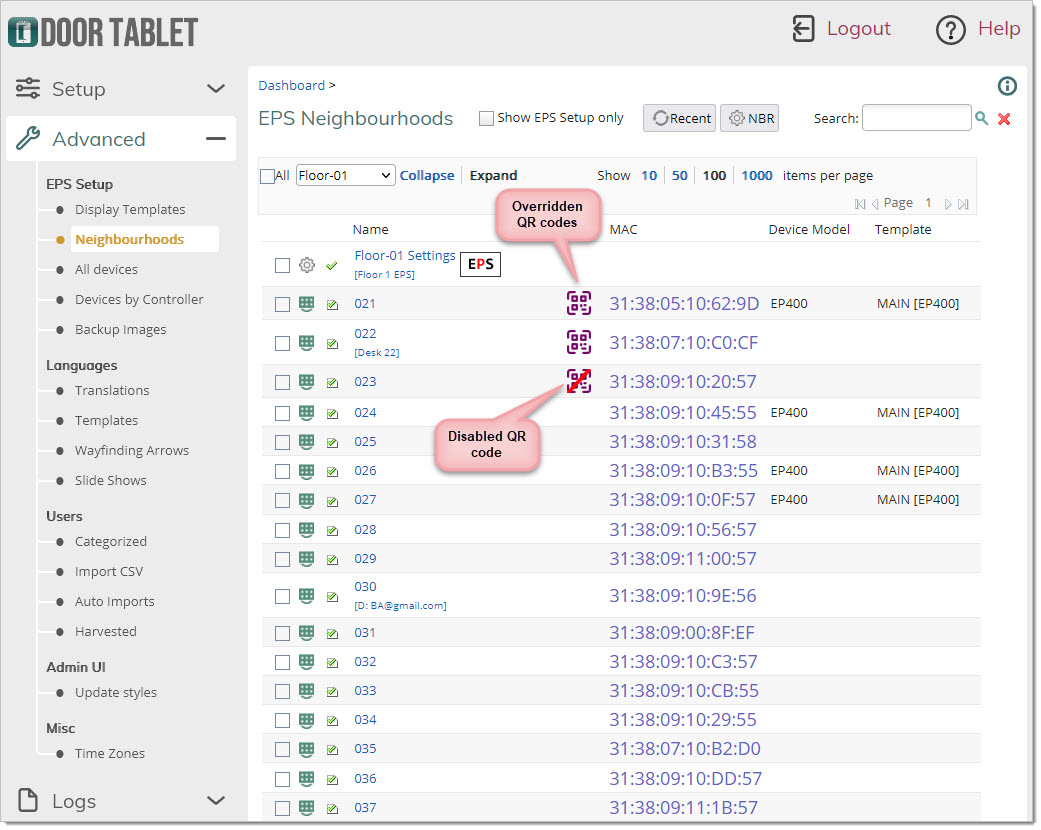
- Override some or all codes with your own
- Disable a code from showing on a particular display.
This functionality allows you integrate Door Tablet EPS with your own mobile app.
The main control appears in the EPS Control setting record:
 When you add your own QR code, or add a single letter to disable QR code for a specific device: