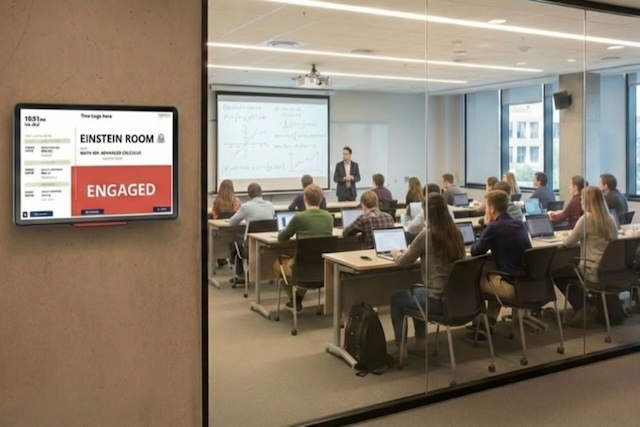
A buzzing university campus is a high-energy environment, and moving thousands of people between rooms every day can be a major logistical challenge.
When schedules change or rooms move, it creates friction for both the registrar's office and the students.
With Door Tablet, you can connect your existing class scheduling data to physical displays across campus to ensure everyone has the right information at the right time.
In this article, we will cover how digital class room displays, interactive wayfinding, and smart access control work together to create a more organized and efficient university.
Clearer Classroom Management for Admins
On the administrative side, the goal is to keep the campus running like a well-oiled machine. Door Tablet removes the manual guesswork of room assignments and scheduling.
Displays That Do the Talking
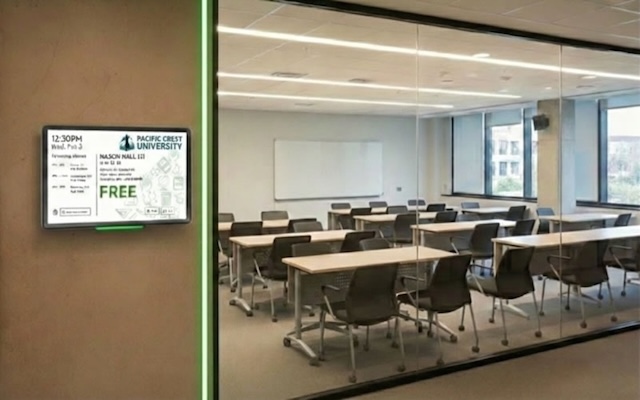
Instead of taped-up paper schedules, our Room Displays sit outside every classroom. They show the name of the professor, the subject being taught, and what is coming up next in that specific room.
Smart Security and Energy
Administering a campus also means managing resources. Authorised staff can check in or out of rooms directly on the tablet using their credentials.
Because we integrate with access control systems like dormakaba Exivo and CredoID, the software can ensure rooms remain locked until the scheduled lecture time. To save on energy, the displays automatically enter "sleep mode" at night or during holidays and wake up just before the first class of the day.
Helping Students Get to Class on Time with Wayfinding Displays
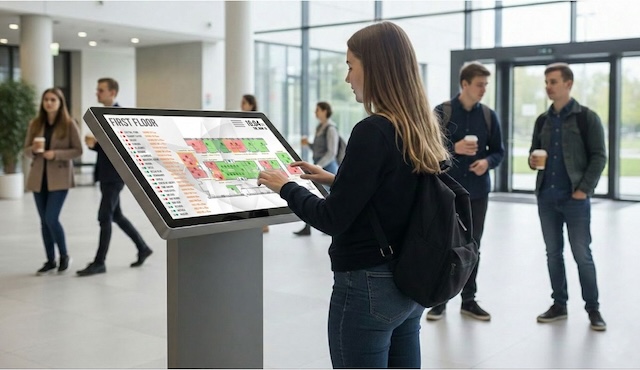
For a student, the priority is simple: knowing where to be and how to get there. Our Interactive Wayfinding Displays serve as a digital compass for the entire campus:
- Real-Time Overviews: In busy lobbies, our "Airport Style" displays show a clear, scrolling list of all events and lectures happening across the faculty.
- Interactive Floor Plans: Students can interact with the display to see a bird's-eye overview of the entire floor, showing every classroom and study space in one view.
- Live Route Guidance: Once they find their classroom on the screen, the display generates the most efficient route to get there, taking the guesswork out of navigating complex wings or multiple floors.
Both Wayfinding Displays and Room Scheduling Displays can be personalised to match your university brand.
Book Library Study Rooms through Door Tablet Displays
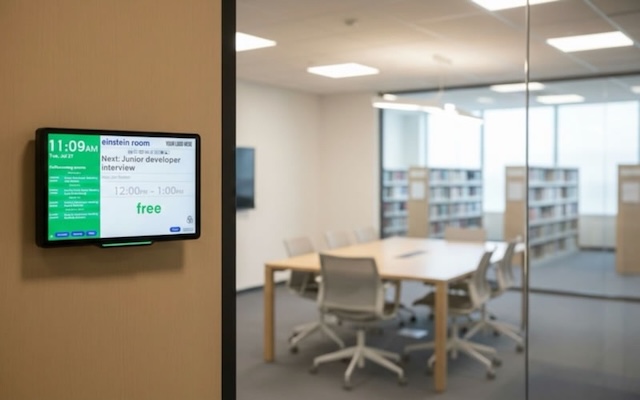
Our Door Tablet displays turn library study rooms into a high-utilisation, self-managing resource, allowing students to book directly at the room entrance; the system removes the administrative burden of manually managing sign-up sheets or keys.
For public libraries, the same solution helps provide fair and simple access to community study rooms, meeting spaces, tutoring areas, and private booths. Visitors can view availability in real time, reserve spaces instantly, and receive clear booking information at the door. Staff benefit from fewer interruptions at service desks, less time spent coordinating room use, and better oversight of shared spaces - helping libraries deliver a smoother experience for the whole community.
Digital Signage + Wayfinding
Beyond basic navigation, you can use large screens to turn every high-traffic area into an information hub for your students. Through the split-screen layout, these displays can show wayfinding maps alongside a scrolling feed of personalised content. This allows students to stay informed about campus life while they find their way to class.
With this feature, you can broadcast school-wide events or important school announcements.
Upcoming Developments for our Wayfinding Displays
We’re continually improving our Wayfinding technology to make navigation across campus even smarter and more intuitive. Here’s what we’re currently working on:
- Personalised Schedules: By tapping a school ID card (RFID/NFC) on the display, a student can immediately see their specific classes for the day.
- Live Directions: If a lecture has been moved to a different building, the screen can pull in Google Maps to show the exact walking route, or even local bus routes, to rooms in buildings not on the main campus.
Sign up for our newsletter to be the first to receive updates on the latest features and improvements to our solutions.
A Unified Campus System
The best part about Door Tablet is that it connects directly to the tools your university already uses.
Whether you use LibCal or a custom internal database, the Door Tablet Server keeps everything synced. When a lecture is booked or changed in the central system, the update flows instantly to the classroom door and the wayfinding kiosks in the lobby. It’s a simple, grounded solution that makes the school day easier for everyone.
With Door Tablet, you can turn complex campus layouts into streamlined, tech-enabled ecosystems for both your administration and your students.
See how Door Tablet could work for your university, request a demo today.