n
anonymousdoortablet/dthelp.nsfsigns-app-screens
Protected content
| 278pages | Our help system contains many pages and videos for you to consume. This includes the complete information on how Door Tablet works, all its features and options, and of course the many benefits for your business. Door Tablet School offers many videos too. |
|
Click on images to see them in full screen
C80164591EFF5A1080258769004A0CDDScreen Selection
Once you have created screens you are ready to play them where the player app is installed.
Steps
- Launch the player app
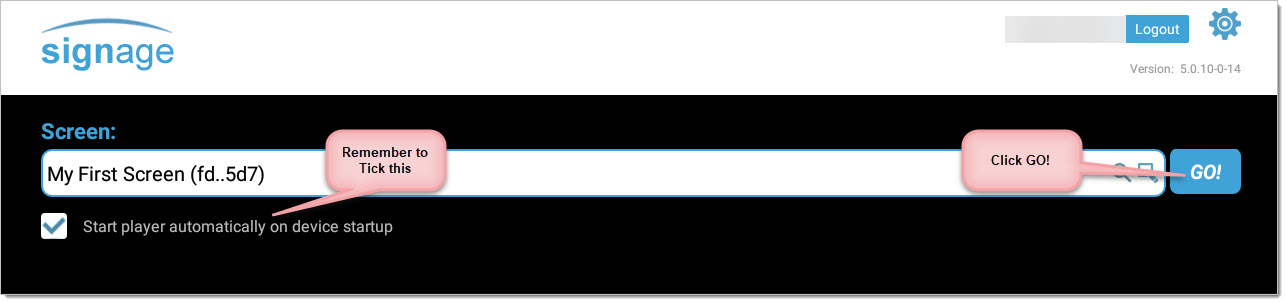
- Login to your account on SIGNS
- Select the screen you wish to play
- Set it to launch automatically upon app start
- Start the screen you selected
Playing the App
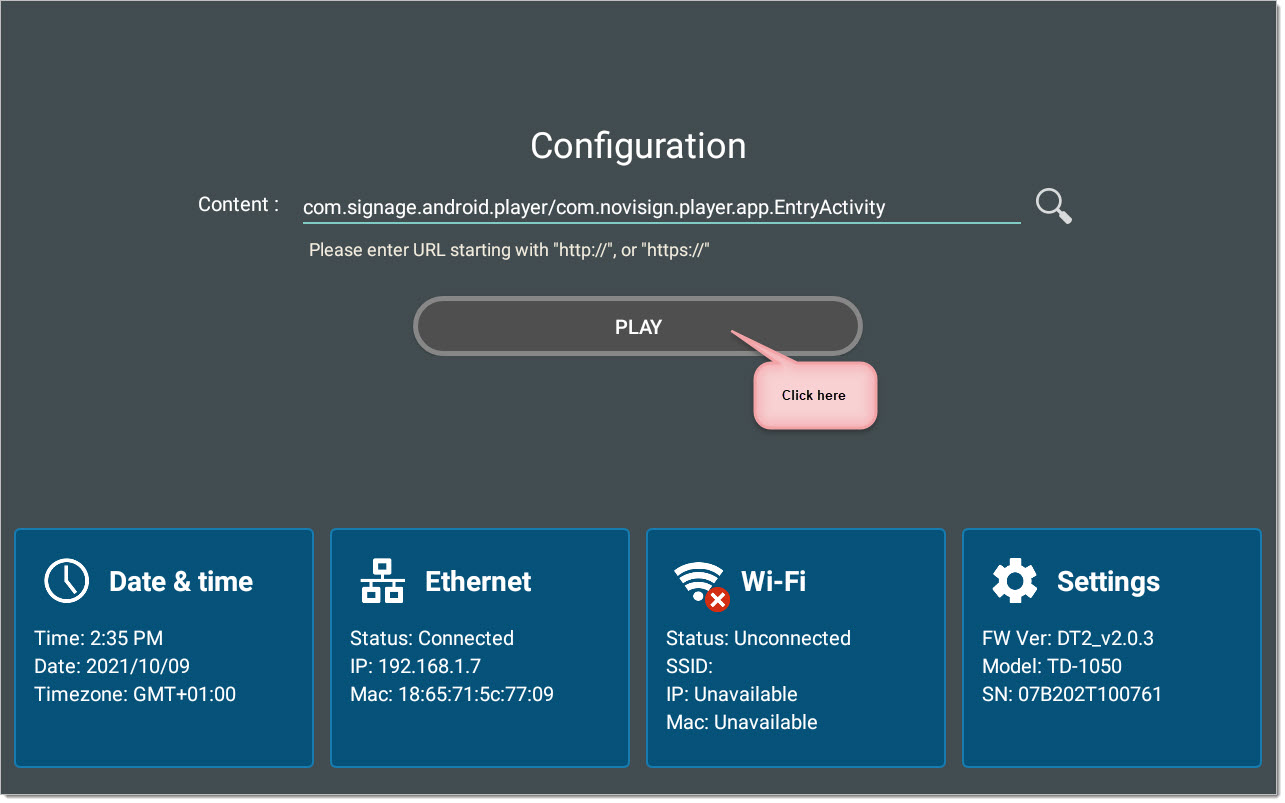
Once you Play the App login to SIGNS
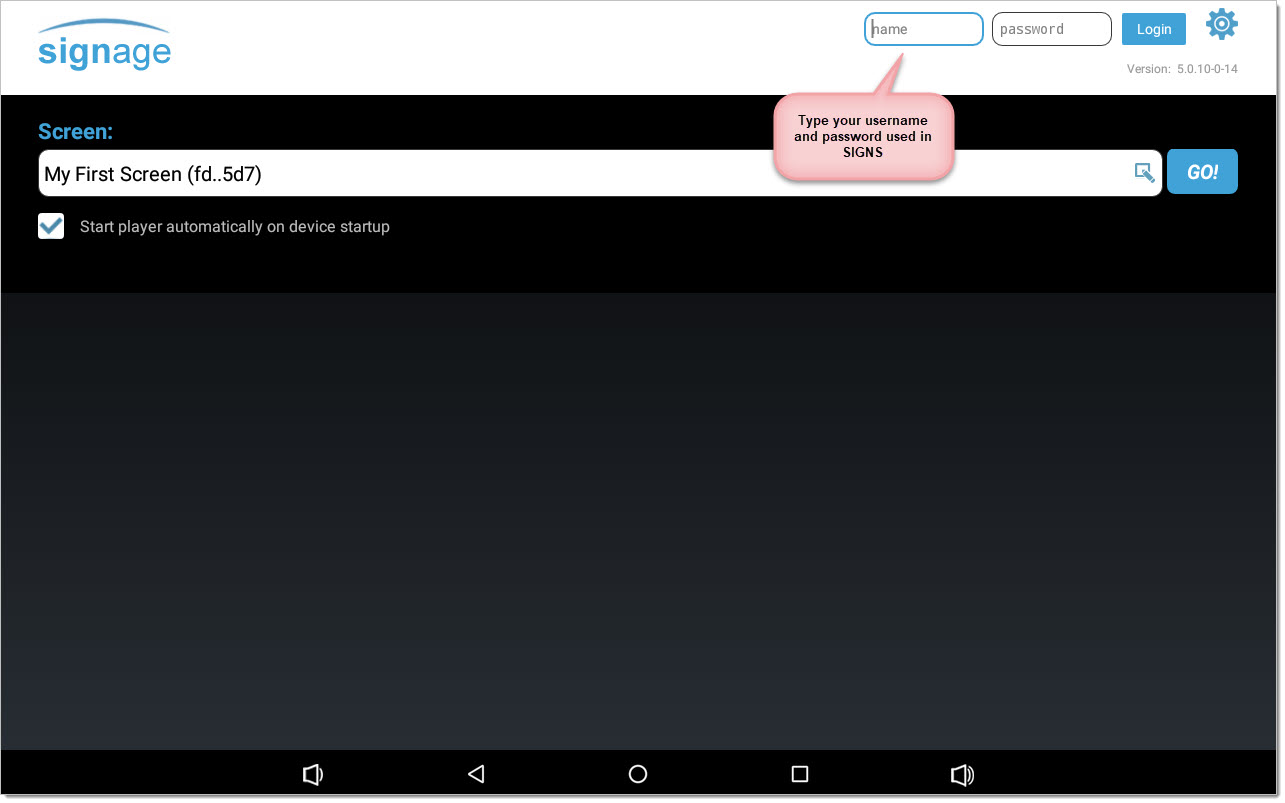
Once you login you will see the screens created in your Account, pick the one you wish:
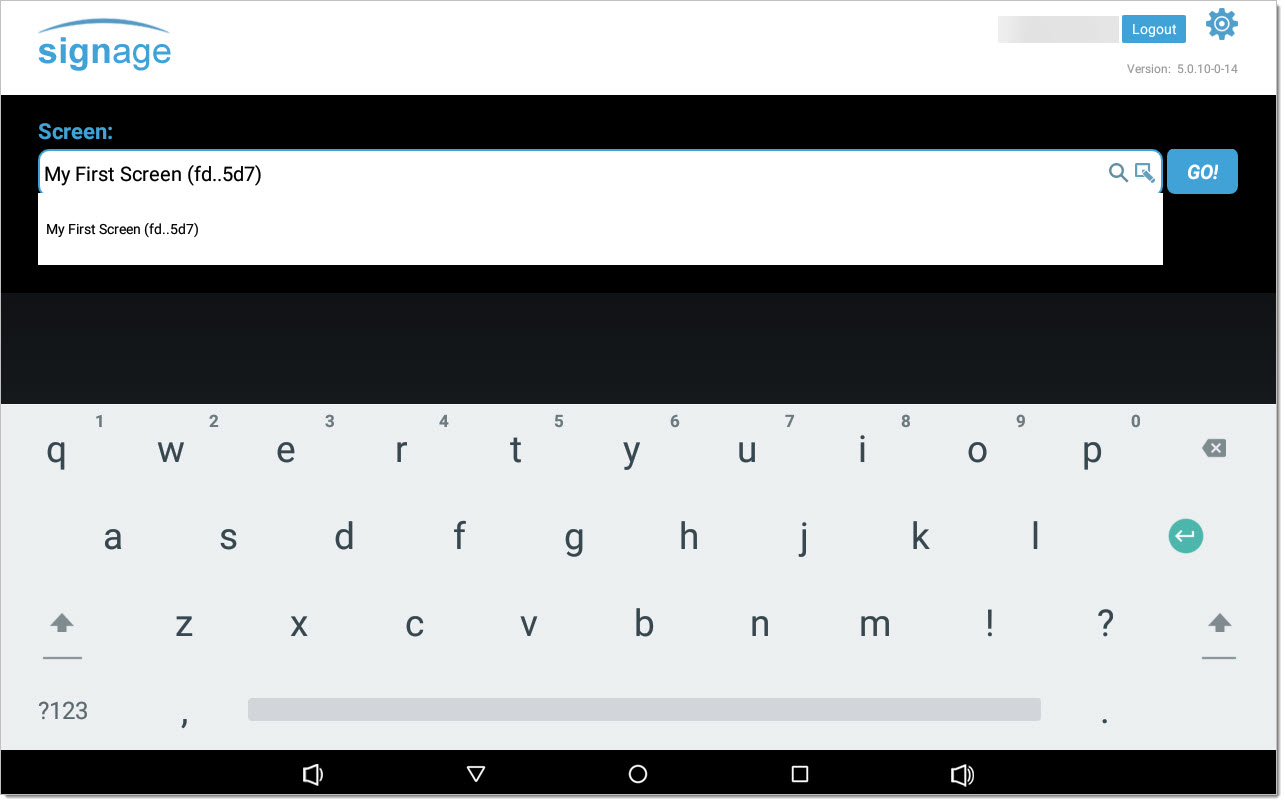
Remember to...
You are now ready to enjoy your creation...