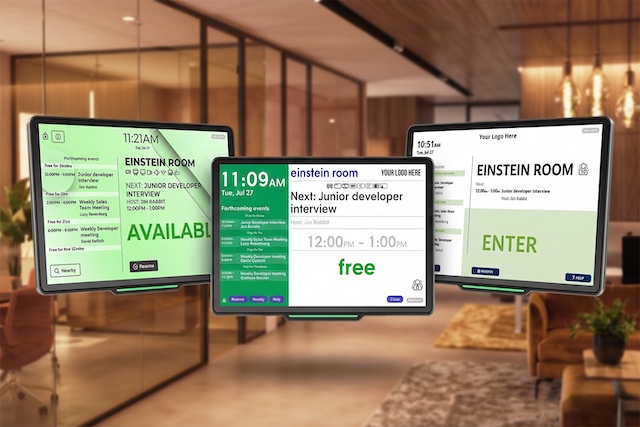
A standard conference room display interface often looks clunky, but Door Tablet software allows you to build fully custom-branded scheduling panels to match your corporate brand identity. Generic booking applications with rigid layouts compromise your workspace aesthetics. You need a user interface that looks intentional and reflects your brand.
Key Takeaways
- Consistent visual branding on meeting room screens builds immediate trust with visiting clients.
- Customise your interface using pre-built templates, built-in design tools, or our bespoke design service.
- No internal design resources are required to deploy a professional and on-brand user interface.
Why Aesthetics Matter for Your Conference Room Display
Consistent visual branding across your digital touchpoints serves a specific psychological purpose. When visiting clients see intentional UI design choices on your meeting room screens, it builds immediate trust. Your employees also benefit from a thoughtful workplace experience where the software blends naturally into the physical environment.
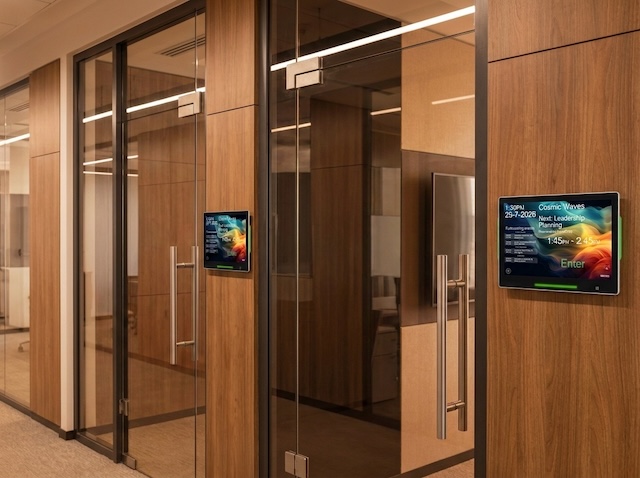
Want to see different templates? Interact with our LIVE Door Tablet demo system.
Custom-Branded Scheduling Panels: Templates vs. Bespoke Design
Door Tablet is easy to use out of the box with zero learning curve. For organisations that want full visual control, we provide three clear paths for customising your software interface.
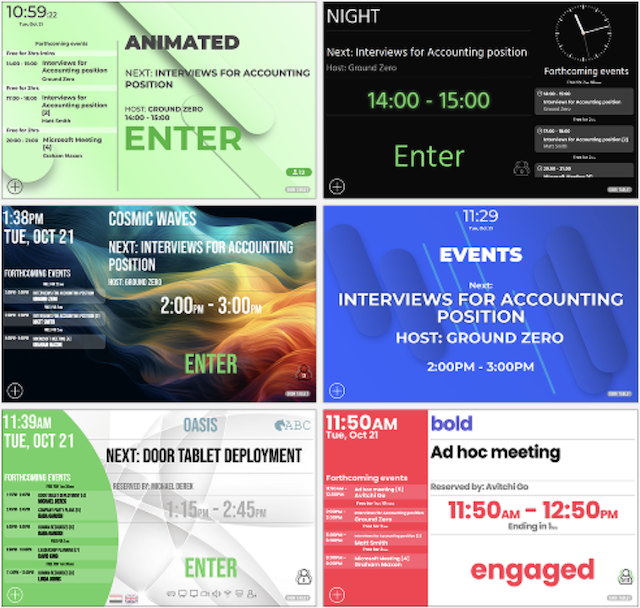
- Templates: Fast and professional. These pre-built digital signage templates are perfect for IT managers who need a great look quickly without relying on an in-house design team.
- Customise Your Own UI: Customise your UI with CSS files to align with your organisation’s brand guidelines. Add your logo and apply your organisation’s colours, backgrounds, and fonts to create a consistent look and feel across your room displays.
- Customise Terminology: Tailor the language used across your room displays to match your organisation’s preferred terminology. Create custom translation sets to replace standard labels and wording with terms that are familiar to your teams and workplace culture.
- Bespoke Design Service: If you want a fully personalised UI without having to do the work yourself, our team can design it for you. We build a bespoke interface that matches your corporate brand guidelines exactly.
Conclusion
Your physical office is a direct reflection of your business, and the software running on your walls must match. Upgrading your conference room display interface removes visual clutter and strengthens your brand presence. Ready to improve your office aesthetics? Let us show you what you can do with Door Tablet for your office.
FAQs
Can we put our company logo on our conference room display?
Yes. Door Tablet allows you to easily add your company logo, choose backgrounds, and apply exact brand colours directly to the user interface. This guarantees the software matches your corporate identity.
Do we need a designer to create custom-branded scheduling panels?
No. Door Tablet features an excellent user experience by default with no learning curve. Facility teams can deploy our templates, use CSS files to build their own UI, or rely on our bespoke design service. If you want a custom-made UI for your tablets, we can help you with this.