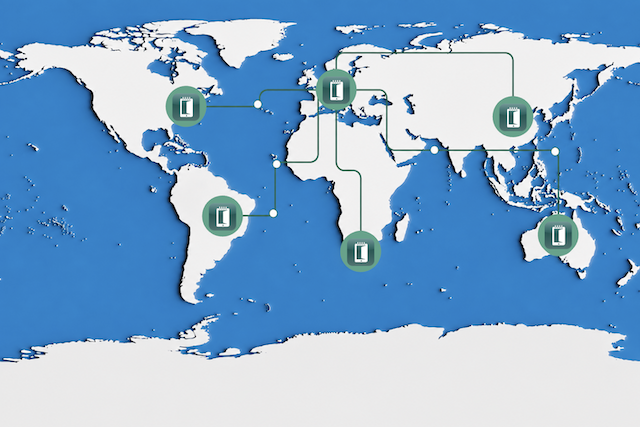
You can scale a room scheduler solution across multiple locations without increasing IT workload by using a centralised management platform that eliminates local infrastructure. It is incredibly rewarding to see IT teams escape the cycle of local server patching and onsite troubleshooting.
Managing remote hardware is notoriously difficult, but the right setup makes it remarkably straightforward. A central platform allows managing meeting room displays in every building from a single dashboard, preventing burnout while keeping global meeting spaces functioning flawlessly.
In this article, you will find out how to deploy and manage Door Tablet across multiple offices worldwide from one central platform, without adding local servers or increasing IT workload.
Key Takeaways
-
A single Door Tablet deployment manages hardware across multiple buildings and countries.
-
Door Tablet CONNECT removes the need for local server infrastructure.
-
IT teams configure, update, and troubleshoot devices remotely from a single dashboard.
What is a Centralised Room Scheduler Solution?
A centralised room scheduler solution is a unified management platform controlling meeting displays across multiple geographical locations from a single server. Door Tablet provides an excellent, scalable option for this exact setup. It eliminates the need for local infrastructure, allowing IT administrators to configure, update, and monitor displays remotely.
4 Steps to Manage Multiple Locations Without the Burnout
Step 1: Choose a Room Scheduler Solution Built for Scale
Managing a fragmented hardware ecosystem creates an exhausting support burden for any helpdesk. The priority is to select a platform that supports growth without multiplying administrative tasks. You want to avoid the headache of logging into separate dashboards to manage individual buildings. A proper system lets administrators define branding, device behaviours, and booking rules when it is needed. This configuration guarantees a consistent user experience on every tablet across your offices.
Step 2: Implement a Central Management Server or Cloud Dashboard
Your IT team can choose between hosting on your own server or Door Tablet CONNECT. For those comparing server deployment options, a dedicated article explores the differences in detail. CONNECT removes the need to maintain server infrastructure entirely, which is a massive relief for system administrators. A single deployment supports multiple offices globally. Administrators add new locations without building out a separate management environment or provisioning new virtual machines.
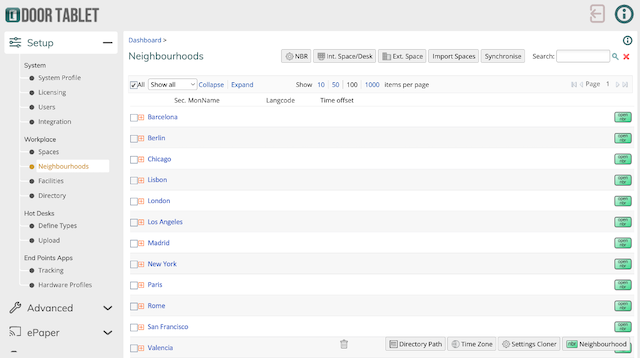
Access all neighbourhoods (offices) worldwide in one place directly on the Door Tablet Dashboard.
Step 3: Sync with Enterprise Calendars
Disconnected calendar systems cause booking conflicts that inevitably escalate to the helpdesk. The system uses the same Microsoft 365, Exchange, or Google Workspace integration across all locations. Users experience identical booking interfaces whether they are in London or Tokyo. This directly reduces frantic support tickets regarding calendar sync failures or double-booked rooms, giving everyone a much smoother workday.
Step 4: Automate Remote Configuration and Troubleshooting
Sending technicians to deal with basic display issues drains both budget and morale. Administrators can perform device configuration, updates, and troubleshooting remotely. Central management allows IT teams to avoid the heavy overhead of supporting separate systems in each office. Fixing an offline display directly from the dashboard is a fantastic capability that saves countless hours.
FAQs
Do I need a separate room scheduler solution server for each office location?
No, a single Door Tablet deployment supports multiple offices, buildings, and countries. Customers manage all locations centrally from one customer-hosted server or through the Door Tablet CONNECT cloud platform. Adding new offices requires zero new management environments, drastically reducing local IT infrastructure requirements and maintenance hours.
How do you manage Door Tablet firmware updates remotely?
Administrators can push firmware updates and configuration changes to every meeting room tablet directly from the central management console. This remote capability eliminates the need for onsite IT visits. Teams schedule global updates during off-hours, ensuring device compliance and security without disrupting daily office operations or weekend personal time. On selected Door Tablet hardware, this can even be managed securely over a cloud connection without requiring a separate Mobile Device Management (MDM) solution.
Conclusion and Next Steps
Scaling a room scheduler solution requires choosing a vendor who can provide the system to do that seamlessly. Centralised management prevents IT burnout by eliminating local servers and remote troubleshooting hurdles. Your company can expand efficiently when a single platform controls the global deployment.
Book a demo today to see how Door Tablet simplifies multi-office management for the IT department.